
Most businesses reach a point where Excel sheets and WhatsApp groups are not enough. Orders get lost, stock numbers do not match and the owner spends evenings fixing reports. At that point you have two choices: buy ready-made software, or build software made for your business. This guide explains both in simple words, shows how they compare, and helps you decide which one fits your business today.
What Is Ready-Made Software?
Ready-made software (also called off-the-shelf software or SaaS) is built once and sold to many businesses. Examples are accounting tools, point-of-sale systems, CRMs, HR tools and project tools. You usually pay a monthly or yearly fee, often per user, and you can start the same day.
- Good: fast to start, low first cost, updates and hosting are included, and many people already know how to use the popular tools.
- Not so good: you change your process to fit the tool, fees grow as your team grows, extra features often sit in higher plans, and your data sits on the vendor’s system under the vendor’s rules.
What Is Custom Software?
Custom software is built for one business. It follows the way you already work: your order steps, your approval rules, your reports and your user roles. It can be a web app your team opens in the browser, a mobile app, an internal dashboard or a full business system.
- Good: it fits your process, it has only the features you need, it can connect to the tools you already use, and with the right agreement you own the code and the data.
- Not so good: it costs more at the start, it takes weeks or months to build, and someone has to host and maintain it after launch.
How Each Option Works in Practice
Ready-made software
- You compare a few tools and try their free trials or demos.
- You pick a plan and create user accounts for your team.
- You import your old data, such as customers, products or opening balances.
- You change some of your steps so they match how the tool works.
- You keep paying the subscription for as long as you use it.
Custom software
- Discovery: the developer studies how your business works today and what goes wrong.
- Written scope and quote: you agree on screens, features, timeline and price before work starts.
- Design: simple screen layouts are made and approved by you.
- Build and test: the software is built in stages, and you test each stage with real examples.
- Launch and training: your data is moved in and your team is trained.
- Support: bugs are fixed and small changes are made as your business grows.
Side-by-Side Comparison
| Point | Ready-made software | Custom software |
|---|---|---|
| Time to start | Same day to a few weeks | A few weeks to a few months |
| First cost | Low | Higher |
| Ongoing cost | Monthly fee, often per user | Hosting and support |
| Fit to your process | You adjust to the tool | The tool follows your process |
| Ownership | You rent access | You can own the code and data |
| Changes and new features | Depends on the vendor’s plans | You decide what gets built |
| Connecting other tools | Only what the vendor supports | Can be built to your needs |
| Risk | Vendor raises prices or closes a feature | Poor developer or unclear scope |
The Middle Path: Ready-Made Plus Custom Parts
You do not always have to choose one side. Many small businesses keep a ready-made tool for the common work, such as accounting, and add small custom parts around it. For example:
- A small web form that sends orders straight into your accounting tool.
- An automation that sends a WhatsApp or email reminder when an invoice is due.
- A dashboard that pulls numbers from two systems into one report.
This is often done with API integrations and business automation. It costs less than a full custom system and removes the most painful manual work first.
How to Decide: A Step-by-Step Check
- Write down your biggest daily problem. Be exact, for example “we type every order twice”.
- List the steps your team follows today. Note which steps are special to your business and which are normal for any business.
- Try two or three ready-made tools. Use the free trial with your real work, not a demo example.
- Mark the gaps. If the tool covers most of your needs, buy it. If the gaps are in your core work, custom may be better.
- Add up the cost over three years. Compare subscription fees for all users with the build cost plus hosting and support.
- Ask for a written quote. A good developer will tell you if a ready-made tool is enough.
What Affects the Cost of Custom Software
There is no fixed price for custom software, because every project is different. These are the main things that change the price:
- Number of screens and features. A simple order tracker costs far less than a full business system.
- User roles. Separate access for owner, manager, staff and customers takes more work.
- Integrations. Each payment gateway, accounting tool or messaging service adds work.
- Platforms. A web app alone costs less than a web app plus Android and iPhone apps.
- Data migration. Moving years of old records takes time to clean and check.
- Design level. Basic clean screens cost less than a fully custom design.
- Support after launch. Hosting, backups, updates and small changes are ongoing costs.
You can see example packages on our Custom Software pricing, Web App Development and Mobile App Development pages.
Common Mistakes to Avoid
- Building everything at once. Start with the part that hurts most. Add more later.
- No written scope. Without a clear list of features, both sides remember the deal differently.
- Not owning the code. Make sure the contract says you get the source code and admin access.
- Copying a big company’s software. You need what fits your size, not every feature they have.
- Skipping training. Good software fails if the team does not know how to use it.
- Forgetting running costs. Plan for hosting, backups and support from the start.
- Choosing only on price. A cheap tool or cheap developer can cost more when you have to start again.
Which Is Right for You?
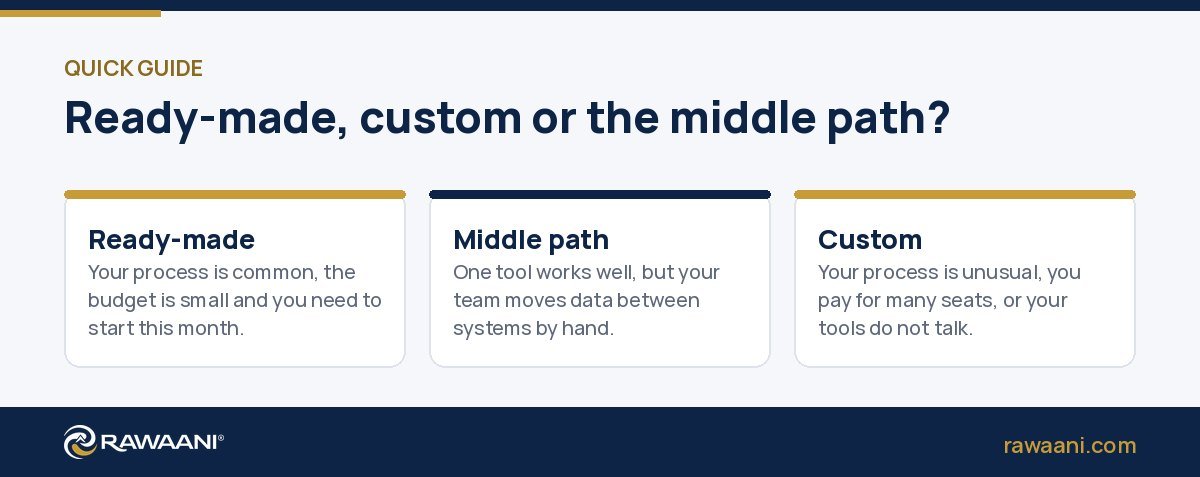
- Choose ready-made if your process is common, your budget is small, you need to start this month, and a popular tool already does most of what you need.
- Choose custom if your process is unusual, you pay for many user seats every month, you are stuck between tools that do not talk to each other, or you need something your competitors do not have.
- Choose the middle path if one ready-made tool works well but you lose hours moving data between systems.
If your main need is managing leads and customers, a ready-to-use system such as Rawaani CRM or a custom business system may be a faster start than building from zero.
Frequently Asked Questions
How long does it take to build custom software?
It depends on the size. A small internal tool can take a few weeks. A larger system with many roles and integrations can take a few months. You should get a timeline in the written quote before work starts.
Can custom software connect to my current tools?
Usually yes. Custom software can connect to payment gateways, accounting tools, messaging tools and your website, as long as those tools offer an API. See our API and Integrations page.
Do I own the code?
With Rawaani, yes. You own your accounts, code and files. After the final payment you get the full source code and admin access.
Is ready-made software always cheaper?
It is cheaper to start. Over several years, per-user fees for a growing team can add up. Compare the full cost over three years, not only the first month.
What happens if my developer stops working with me?
If you own the code, the hosting account and the documentation, another developer can take over. This is why ownership matters so much.
Is there a cheaper first step?
Yes. Many businesses start by automating one painful task, such as order entry or invoice reminders. Our Business Automation packages start small.
I am not sure what I need. Where do I start?
Start with a short consultation. Explain your daily problem and let an expert suggest options, including ready-made ones. See IT Consulting.
Conclusion
There is no single right answer. Start with your biggest daily problem, check if a ready-made tool solves it well, and build custom only where it truly saves time or money. Whatever you choose, keep ownership of your data and get everything in writing.
Not sure which way to go? Rawaani gives a written quote before any work starts, and our launch offer is 40% off until 30 November 2026. See Custom Software packages, explore our development services or compare all our prices.